ArduPilot / ArduPilot/MissionPlanner
Mission Planner, Tuning, Graph This, truncated similar to Issue #685
- Dominant language
- C#
- Stars
- 2.4k
- Forks
- 2.9k
- Avg merge
- 19h 16m
- Merged PRs (30d)
- 4
Description
#### Issue details
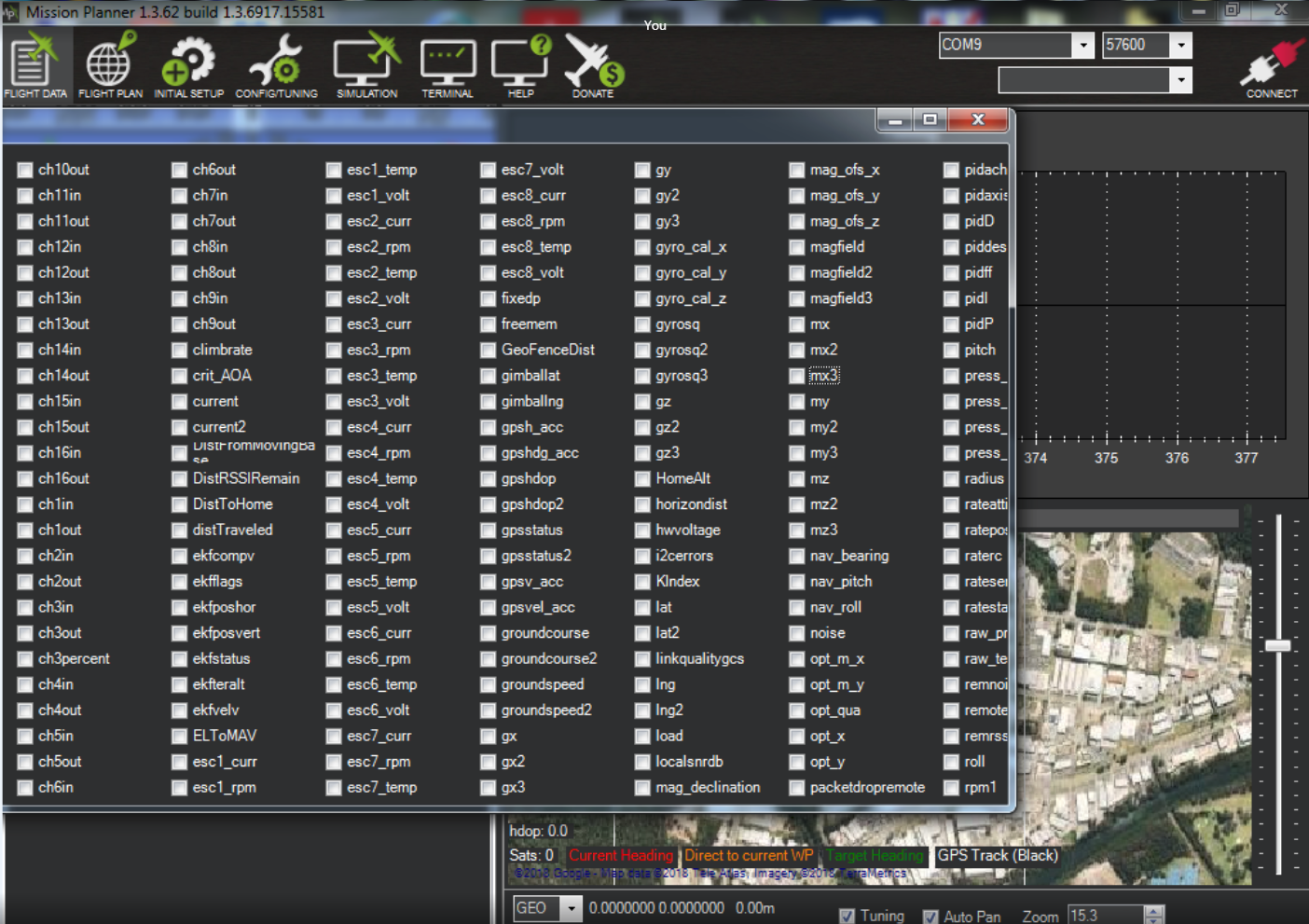
Experiencing the same issue as #685 on the latest Mission Planner with the same computer type, a Panasonic Toughbook running 64 bit Windows 7 Pro. Earlier versions of Mission Planner work correctly.
Window only shows up to the rpm1 option and the remainder are cut off. This does not change if the Window is maximized or the screen resolution changed. The Panasonic Toughbook only has two screen resolution options, 1024 x 768 and 800 x 600 and neither changes the behavior.
#### Version
Mission Planner 1.3.62
#### Platform
[ ] All
[ ] AntennaTracker
[ ] Copter
[ ] Plane
[ ] Rover
[ ] Sub
#### Airframe type
_What type of airframe (flying wing, glider, hex, Y6, octa etc)_
#### Hardware type
_What autopilot hardware was used? (pixhawk, pixracer, PX4FMU etc)_
#### Logs
_Please provide a link to any relevant logs that show the issue_
Contributor guide
No contributing guide indexed for this repository
Research direction
Reproduce the truncated Graph This tuning window in Mission Planner 1.3.62 on a 1024x768 or 800x600 Windows display, then locate the window implementation from the Mission Planner UI. Done means the complete set of tuning options, including those after rpm1, is visible without depending on maximization or higher resolution.
Written by the indexing model from the issue text.
Assessment
- Tech stack
- csharp
- Domain
- desktop
- Issue type
- Bug
- Difficulty
- 3/5
- Estimated time
- 1-2 days
- Activity status
- Stale
- Clarity
- Mostly clear
- Newbie friendliness
- 35/100