ArduPilot / ArduPilot/MissionPlanner
Wizard failsafe step doesn't pickup current failsafe actions and doesn't save FS Pwm value
- Dominant language
- C#
- Stars
- 2.4k
- Forks
- 2.9k
- Avg merge
- 19h 16m
- Merged PRs (30d)
- 4
Description
#### Issue details
The wizard's _Failsafe_ step fails to pick up the current failsafe actions, e.g. RTL or continue with mission, and if I change the FS Pwm value in the wizard this isn't saved.
---
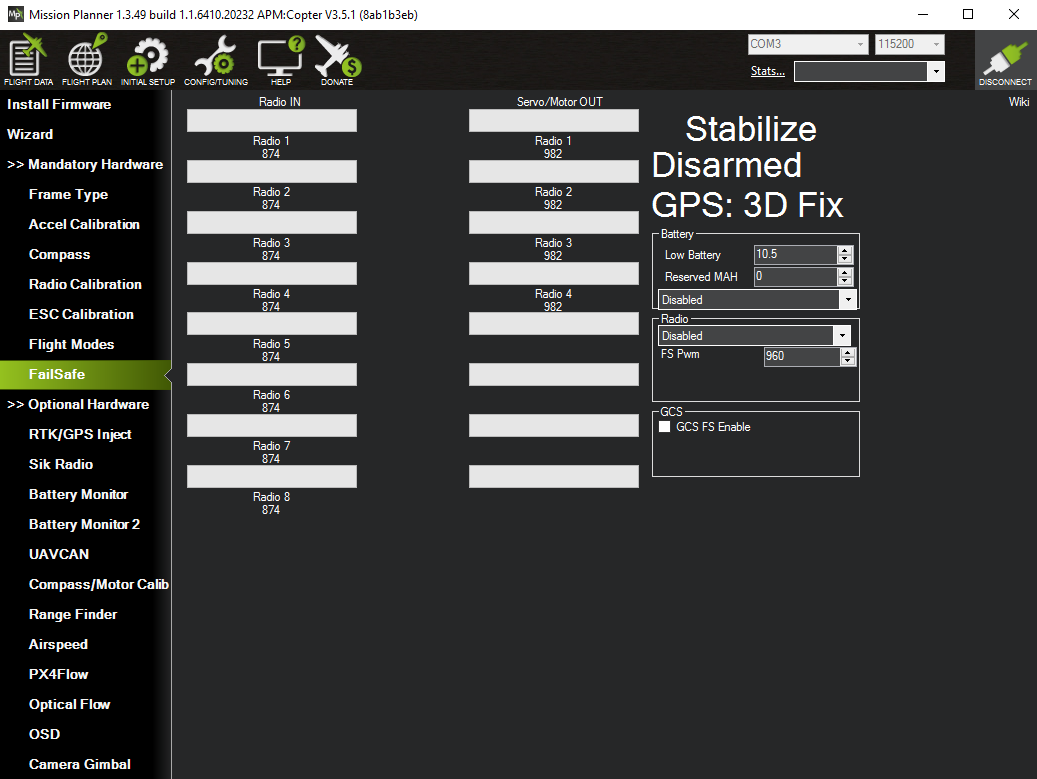
Let's go through the steps. Before starting the wizard I have all failsafes disabled and the FS Pwm value set to 960:
In the wizard I then set all the failsafes to RTL and the FS Pwm value to 970:

On completing the wizard and returning to the _FailSafe_ section I find all the failsafes enabled, as expected, but the FS Pwn value is still the old value of 960:

Aside: in the wizard I can set a specific action for the GCS failsafe, i.e. RTL or continue with mission, but here in the _FailSafe_ section it only seems possible to enable or disable the GCS failsafe but not to set a specific action (there's no dropdown)?
If I restart the wizard and return to the failsafe section I see that that none of the current failsafe actions are picked up - i.e. everything shows up as disabled. It does though pick up the current FS Pwm value (even if it doesn't save changes to this value):
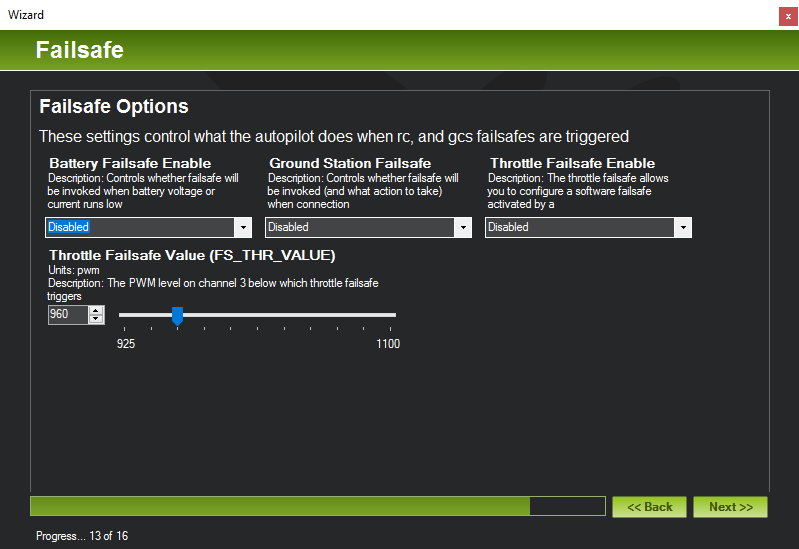
However unlike the battery monitor issue (where the incorrect state in the wizard does show up afterwards in the _Battery Monitor_ section, see issue #1623) these disabled failsafe values don't show up later if I return to the _FailSafe_ section - the selected actions for _Battery_ and _Radio_ remain as before:
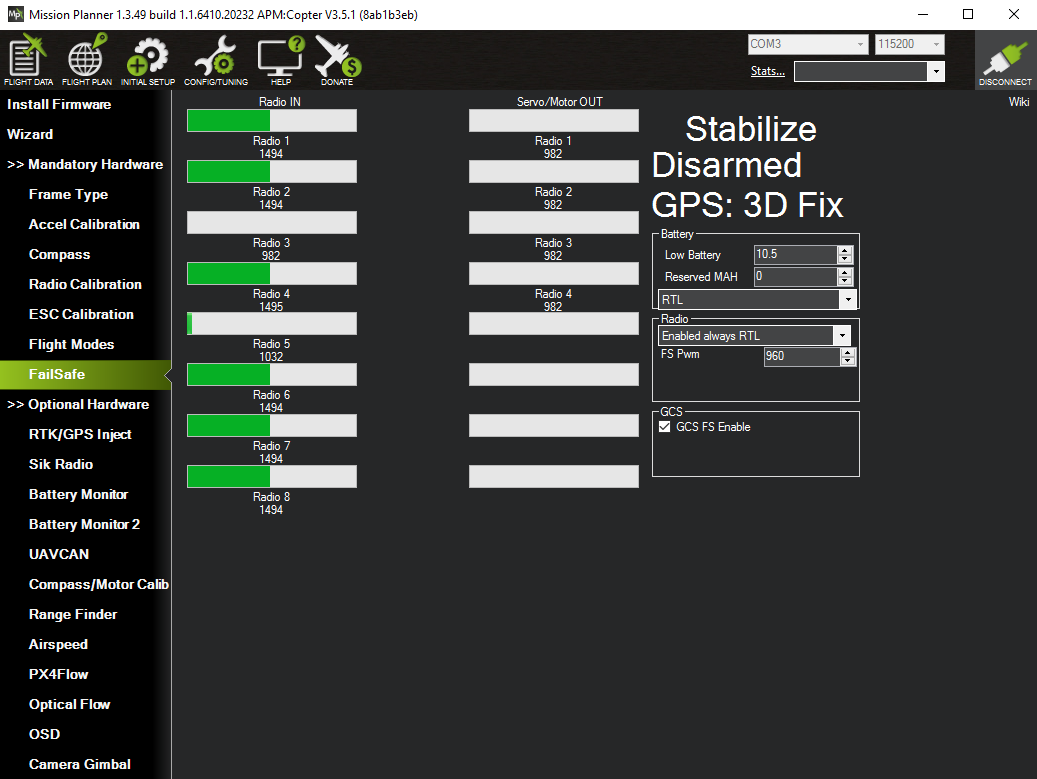
Aside: here the radio failsafe is called _Radio_ while in the wizard it is called _Throttle_ - maybe the wording in the wizard should be updated?
---
I've been giving MP a major workout over the last few weeks and this issue and #1623 and #1622 are the only things I've come across and are very minor issues. Overall the MP experience has been super :smile:
#### Version
1.3.49
#### Platform
[ ] All
[ ] AntennaTracker
[ * ] Copter
[ ] Plane
[ ] Rover
[ ] Sub
#### Airframe type
X quad
#### Hardware type
Pixhawk 1
Contributor guide
No contributing guide indexed for this repository
Research direction
Start with the Wizard's Failsafe step and the FailSafe section described in the report, tracing how current failsafe actions and the FS PWM value are loaded and saved. Compare the wizard's Battery, Radio/Throttle, and GCS controls with the corresponding FailSafe controls. Done means existing actions are shown when reopening the wizard, changes including FS PWM persist, and the controls remain consistent.
Written by the indexing model from the issue text.
Assessment
- Tech stack
- csharp
- Domain
- desktop
- Issue type
- Bug
- Difficulty
- 4/5
- Estimated time
- 3-5 days
- Activity status
- Stale
- Clarity
- Mostly clear
- Newbie friendliness
- 35/100