ArduPilot / ArduPilot/MissionPlanner
"Dist to Home" still appears as "DistToMAV" on fresh 1.3.49 installs
- Dominant language
- C#
- Stars
- 2.4k
- Forks
- 2.9k
- Avg merge
- 19h 16m
- Merged PRs (30d)
- 4
Description
#### Issue details
In 1.2.29 DistToMAV was [renamed as Dist to Home](https://github.com/ArduPilot/MissionPlanner/blob/6be36a5/ChangeLog.txt#L3457). However in 1.3.49 in the Quick tab it still appears as DistToMAV for newly installed instances of MP.
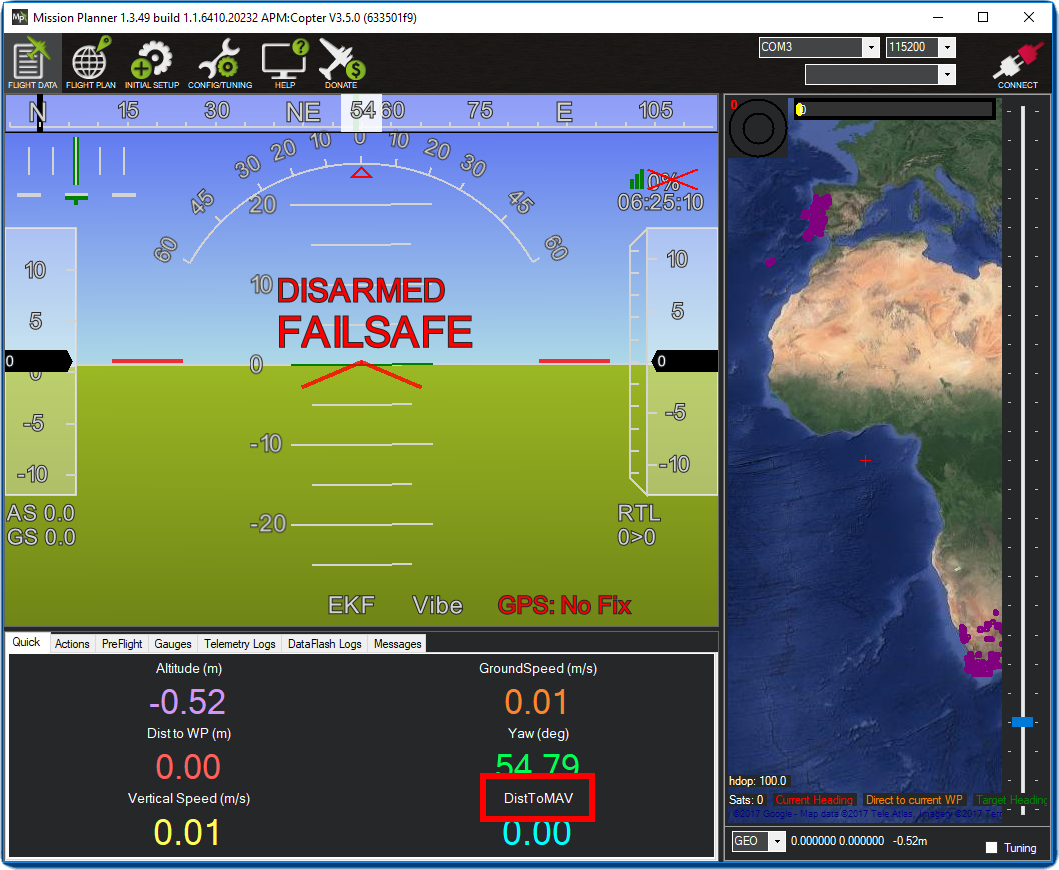
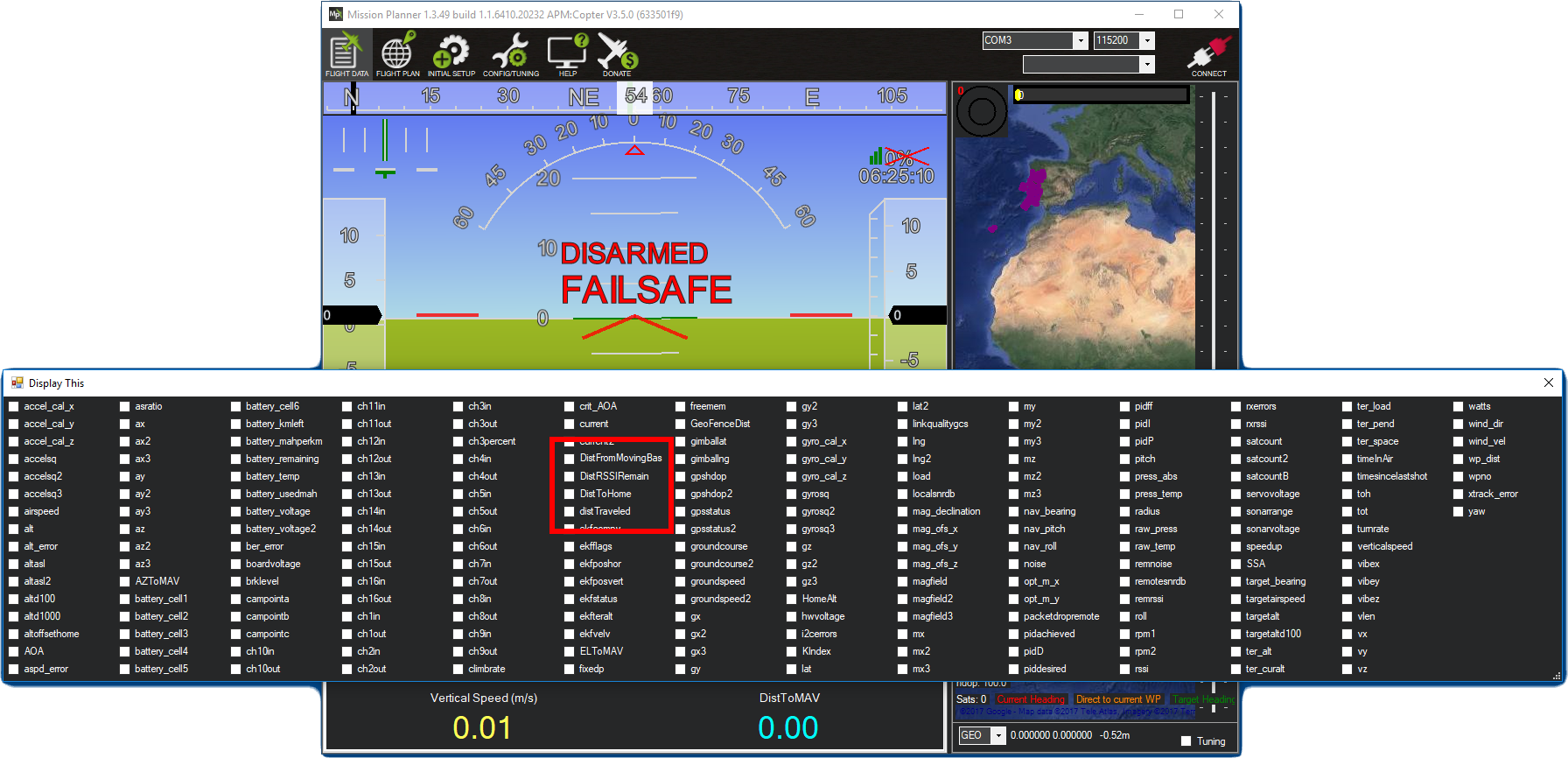
If I double click DistToMAV then I don't see any corresponding value among the various dist options (and I don't see any ticked checkbox). If I select Dist to Home then as expected DistToNAV becomes Dist To Home.
If I then double click Dist To Home then I see it ticked as expected.
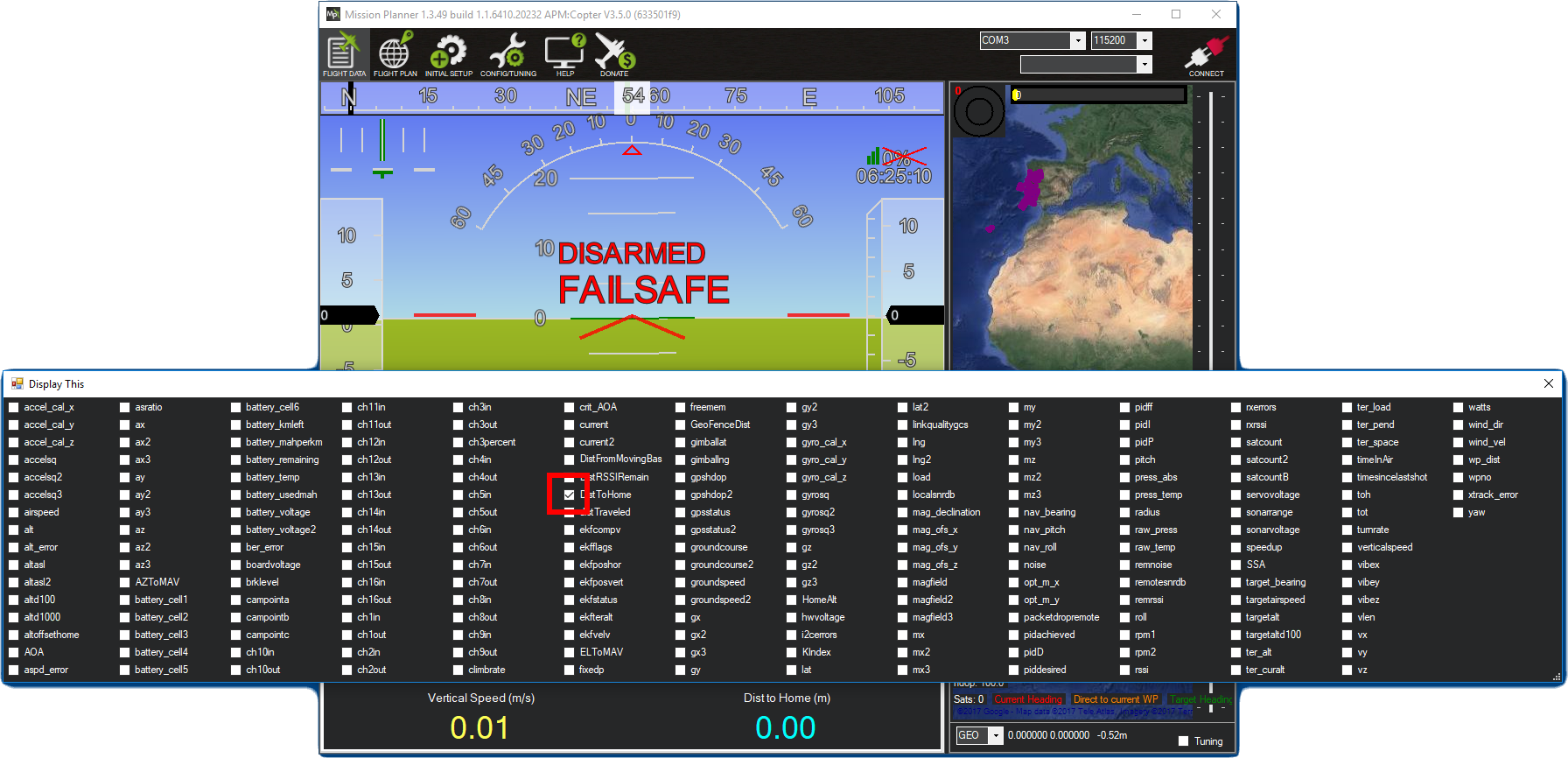
Aside: if you double click any of the initially displayed values in the Quick tab you won't see a corresponding ticked checkbox in the resulting dialog - it seems you only see ticked checkboxes for values you've actively changed.
Grepping the code for "DistToMAV" I don't see how this issue can be, but I really took a fresh Windows VM image (the stable [Win10 image](https://developer.microsoft.com/en-us/microsoft-edge/tools/vms/) published by MS as part of their modern.ie effort) and installed 1.3.49 to confirm this wasn't some odd issue with picking up option names from an earlier installation.
#### Version
1.3.49
#### Platform
[ ] All
[ ] AntennaTracker
[ * ] Copter
[ ] Plane
[ ] Rover
[ ] Sub
#### Airframe type
X quad.
#### Hardware type
Pixhawk 1.
Contributor guide
No contributing guide indexed for this repository
Research direction
Reproduce the issue with a fresh Windows installation of Mission Planner 1.3.49 and trace how the Quick tab populates and edits the DistToMAV and Dist to Home entries. Done means the displayed label matches the selected distance option on a fresh install, and the edit dialog shows the corresponding checkbox state.
Written by the indexing model from the issue text.
Assessment
- Tech stack
- csharp
- Domain
- desktop
- Issue type
- Bug
- Difficulty
- 3/5
- Estimated time
- 1-2 days
- Activity status
- Stale
- Clarity
- Mostly clear
- Newbie friendliness
- 35/100