ArduPilot / ArduPilot/MAVProxy
Mission Editor: scroll down no longer works
- Dominant language
- Python
- Stars
- 595
- Forks
- 773
- Avg merge
- 2d 6h
- Merged PRs (30d)
- 18
Description
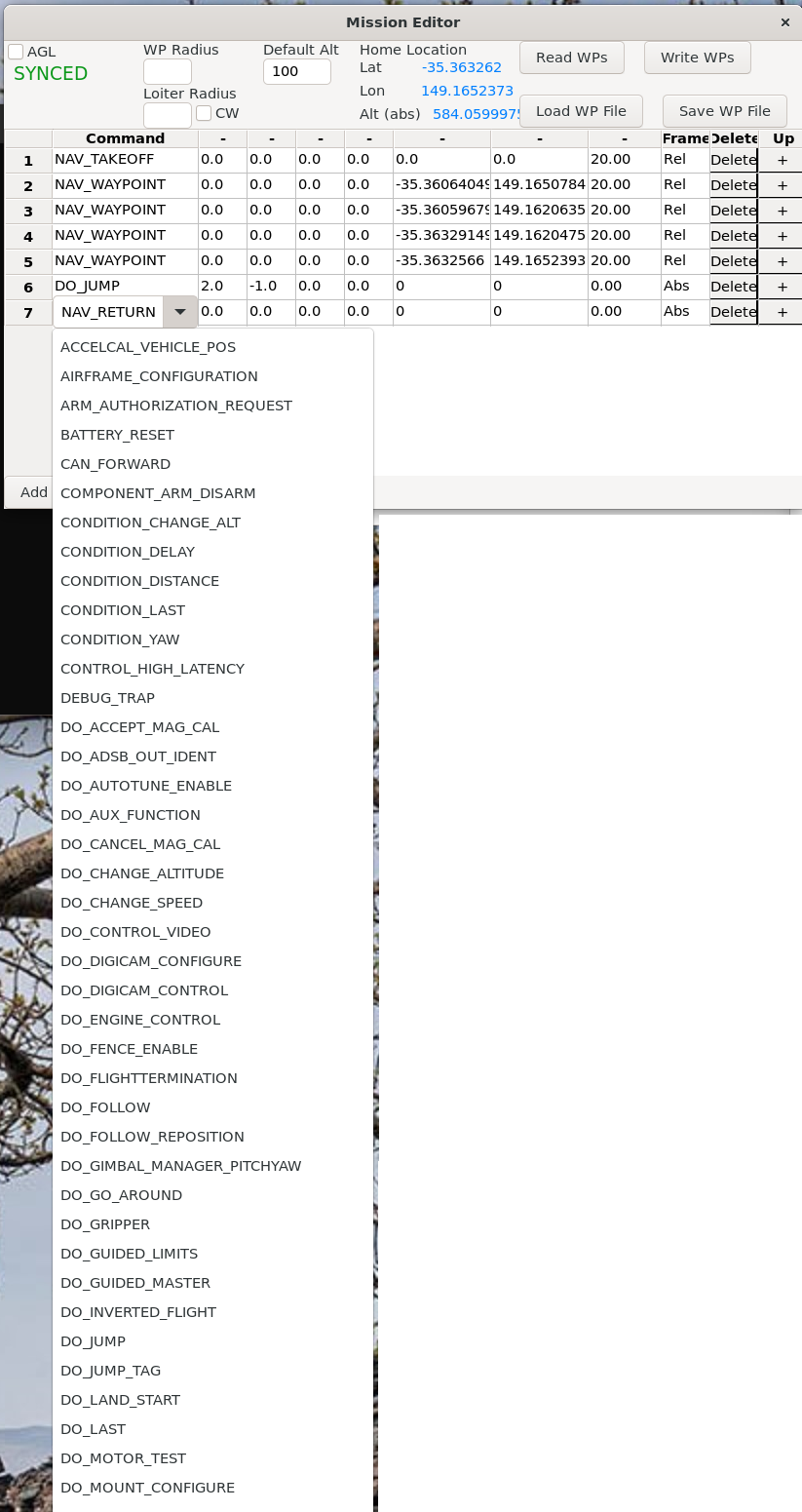
The Mission Editor has a very long list of mission commands (far more than any of the vehicles support but this is a separate issue) and I seem to be unable to use the mouse scroll wheel to scroll down the list meaning that only the top of the list is usable.
Below is an example of what I can see on my screen, there's no way as far as I can tell to select items below DO_MOUNT_CONFIGURE. I'm using MAVProxy on WSL2 on my windows 11 box.
Contributor guide
No contributing guide indexed for this repository
Research direction
Start by reproducing the scrolling problem in the Mission Editor with a long mission-command list, using the WSL2 and Windows 11 setup described. Trace the Mission Editor entry point and list widget to determine why items below DO_MOUNT_CONFIGURE cannot be reached; done means the full list can be scrolled and lower commands can be selected.
Written by the indexing model from the issue text.
Assessment
- Tech stack
- python
- Domain
- desktop
- Issue type
- Bug
- Difficulty
- 3/5
- Estimated time
- 1-2 days
- Activity status
- Stale
- Clarity
- Needs clarification
- Newbie friendliness
- 35/100