AllenInstitute / AllenInstitute/MIES
Allow multiple analysis functions for one stimset
Nobody has claimed this yet.
- Dominant language
- IGOR Pro
- Stars
- 30
- Forks
- 11
- Avg merge
- 1d 40m
- Merged PRs (30d)
- 8
Description
We currently allow the user to attach only one analysis function to a stimset. If we would allow the user to attach multiple analysis functions to a stimset, we could reuse more analysis functions as these could then only serve as small building blocks.
Notes from a brainstorming sessions with @timjarsky:
- Only one set of analysis parameters, so all analysis functions would see the same parameters (much easier to implement). It will not be possible to write the analysis parameters in function 1 so that function 2 sees them changed.
- Called in user defined order
- First analysis function to stop, or repurpose time for mid sweep event, will trigger that action and the others are skipped. Same approach as with multiple headstages and one analysis function
- Only one analysis functions can require/suggest any given analysis parameter, if multiple do that, we don't allow to start DAQ, checked in DAP_CheckSettings
- Wavebuilder Analysis parameter GUI
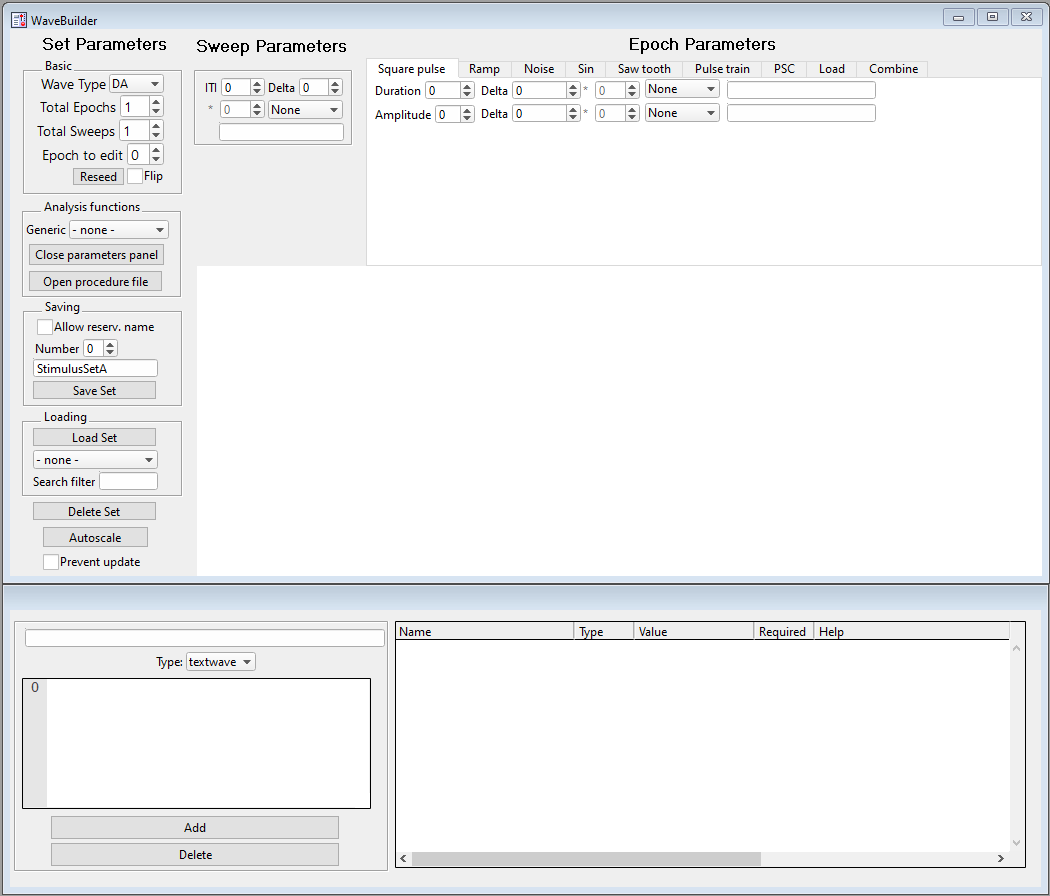
Move everything from the "analysis functions" groupbox to the separate panel:
-
Add new listbox instead of popupmenu to select analysis functions
-
This listbox also needs an index column so that the user can set the analysis function run order
-
The listbox for the analysis parameters needs a new column for the analysis function (for required and optional parameters, so that the user knows which functions requests/suggests a parameter)
-
Only allow to have multiple V3 functions
-
STIMSET_NOTE_VERSION needs to be incremented, WPT_WAVE_LAYOUT_VERSION probably as well
-
Use comma separated list for the analysis functions in the stimulus set note, as done for
Pulse Train Pulses
Misc:
- Add a way to jump to the analysis functions procedure code directly from the listbox GUI
Contributor guide
First steps
- Read the whole issue, then the project's contributing guide.
- Comment on the issue to say you are picking it up — it saves two people doing the same work.
- Fork the repository and make your change on a branch.
- Open a pull request that references the issue number.
Research direction
Start at the analysis functions GUI and the DAP_CheckSettings validation mentioned in the issue. Trace the stimulus set note handling, including STIMSET_NOTE_VERSION and WPT_WAVE_LAYOUT_VERSION, and compare the comma-separated Pulse Train Pulses representation. Done means ordered multiple V3 functions, shared parameter validation, updated GUI columns and procedure navigation, with compatible note versions.
Written by the indexing model from the issue text.
Assessment
- Domain
- desktop
- Issue type
- Feature
- Difficulty
- 5/5
- Estimated time
- Over a week
- Activity status
- Stale
- Clarity
- Mostly clear
- Newbie friendliness
- 25/100