AdguardTeam / AdguardTeam/AdguardBrowserExtension
Space(s) only as custom filter URL value is considered valid (AdGuard Settings)
- Dominant language
- TypeScript
- Stars
- 4.4k
- Forks
- 449
- PR merge metrics
- No merged PRs in 30d
Description
### ɪꜱꜱᴜᴇ ᴄʜᴀɴɢᴇʟᴏɢ
#### April 20, 2023
- ➕ Added a screenshot in `Steps to reproduce`.
- ➕ Added an animated GIF regarding an alternative possibility in `Expected behavior`.
___
##### 💻 Tested and reproducible on both:
- Version `4.1.53` on Firefox `112.0` — Win 10 Pro 22H2
- Version `4.1.55` on Edge `112.0.1722.48` — Win 10 Pro 22H2
# 👋 Steps to reproduce
1. Go to `AdGuard Settings` > Filters > Custom > then click on the `Add custom filter` button.
2. [📸 [ꜱᴄʀᴇᴇɴꜱʜᴏᴛ](https://user-images.githubusercontent.com/4764956/233382151-2f73b665-bb10-4590-9106-99e875d22737.png)] Type one space _or more_ in the URL field and click on the `Next` button.
# Actual behavior
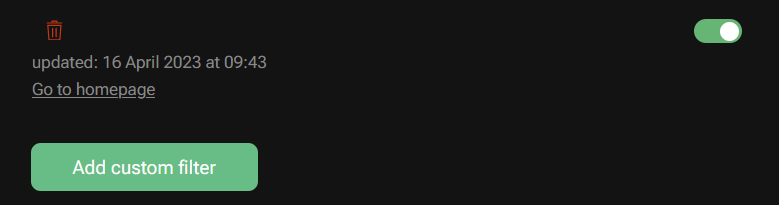
It's considered valid! _(Filter will be added with "1 rule" listed in the pre-validation summary.)_
📷 Current result …

# Expected behavior
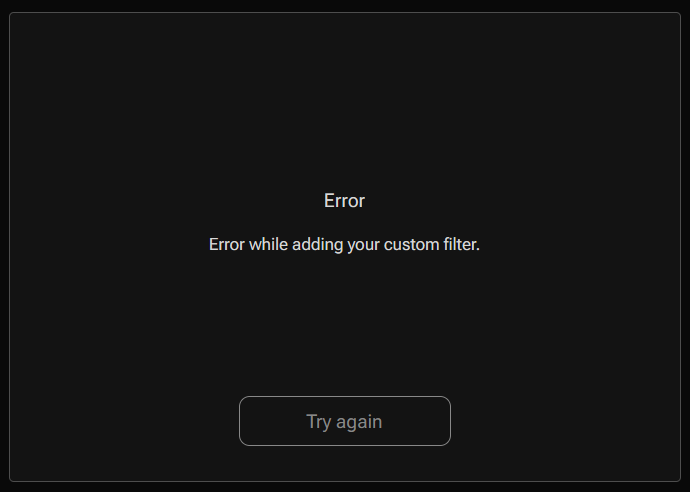
_Unless_ this is intended for quick testing purposes (noop filter), it should not be I would say. **AdGuard for Windows** doesn't permit that.
📷 Expected result …
Or, just like in the [MV3](https://github.com/AdguardTeam/AdGuardMV3) experimental version, disable the validation button by default and when this situation occurs:
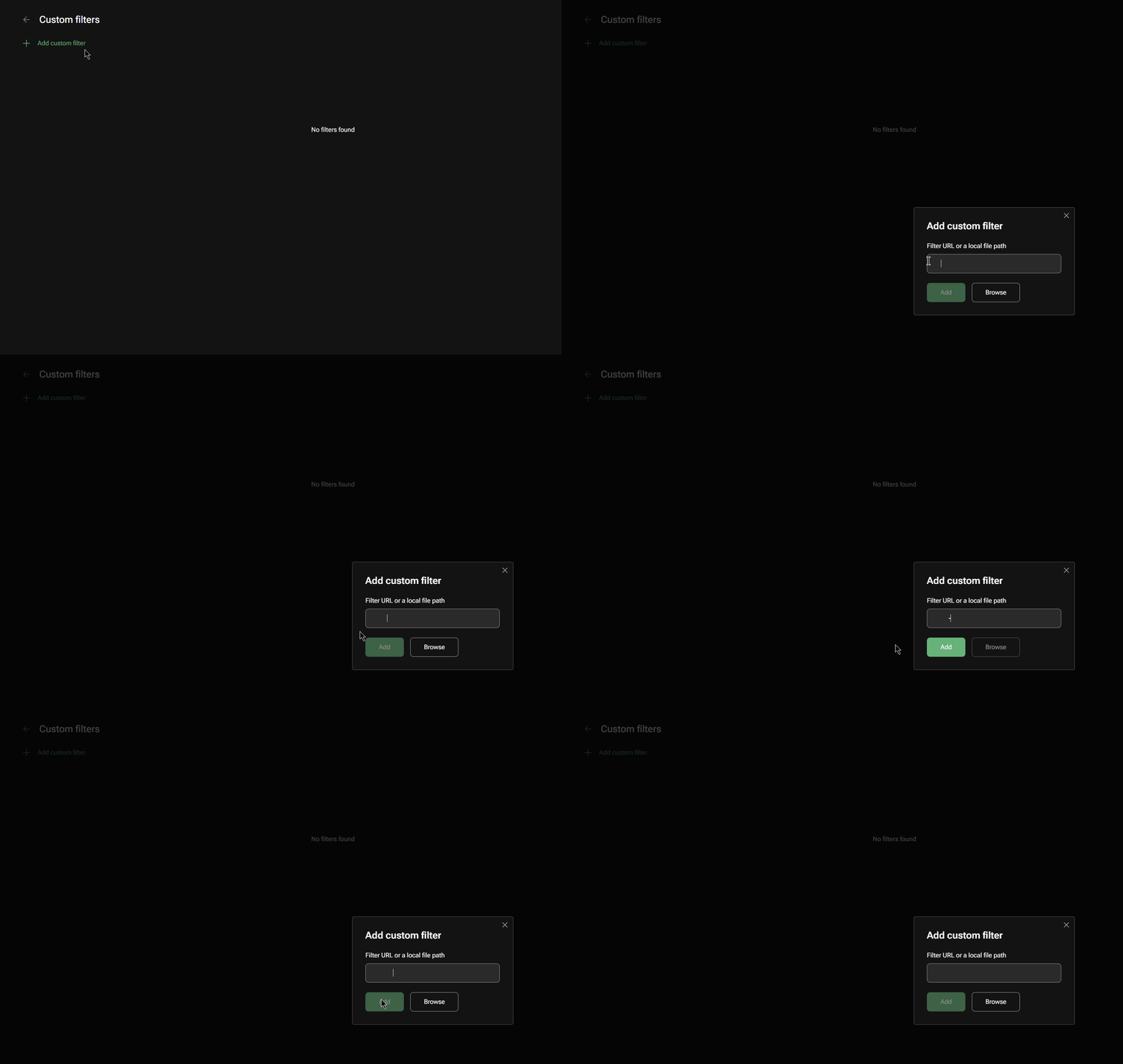
↪️ Makes sense too, if not more.
Contributor guide
No contributing guide indexed for this repository
Assessment
This issue has not been assessed yet.