AcademySoftwareFoundation / AcademySoftwareFoundation/OpenColorIO
Add display gamut mapping as a fixed function
- Dominant language
- C++
- Stars
- 2.1k
- Forks
- 503
- PR merge metrics
- No merged PRs in 30d
Description
As part of my efforts to improve my personal ACES OCIO configuration, I developed a simple gamut mapping method meant for display transforms. It's applied after the matrix transform and brings all values within the gamut. Since it's after the image has already been converted to another gamut, it can be gamut agnostic. Right now, I have it implemented as a LUT, but I think it would be great if this could be added to OpenColorIO as a fixed function. I don't know enough about the internals of OpenColorIO to feel comfortable adding this myself, so that's why I am opening an issue, in the hope that someone else can add this.
Now, I am aware that OpenColorIO already has a gamut mapping algorithm, the ACES gamut compress fixed function. However, this algorithm is not appropriate for display transforms and it does not attempt to preserve luminance. So, I still believe that there is a place for this algorithm.
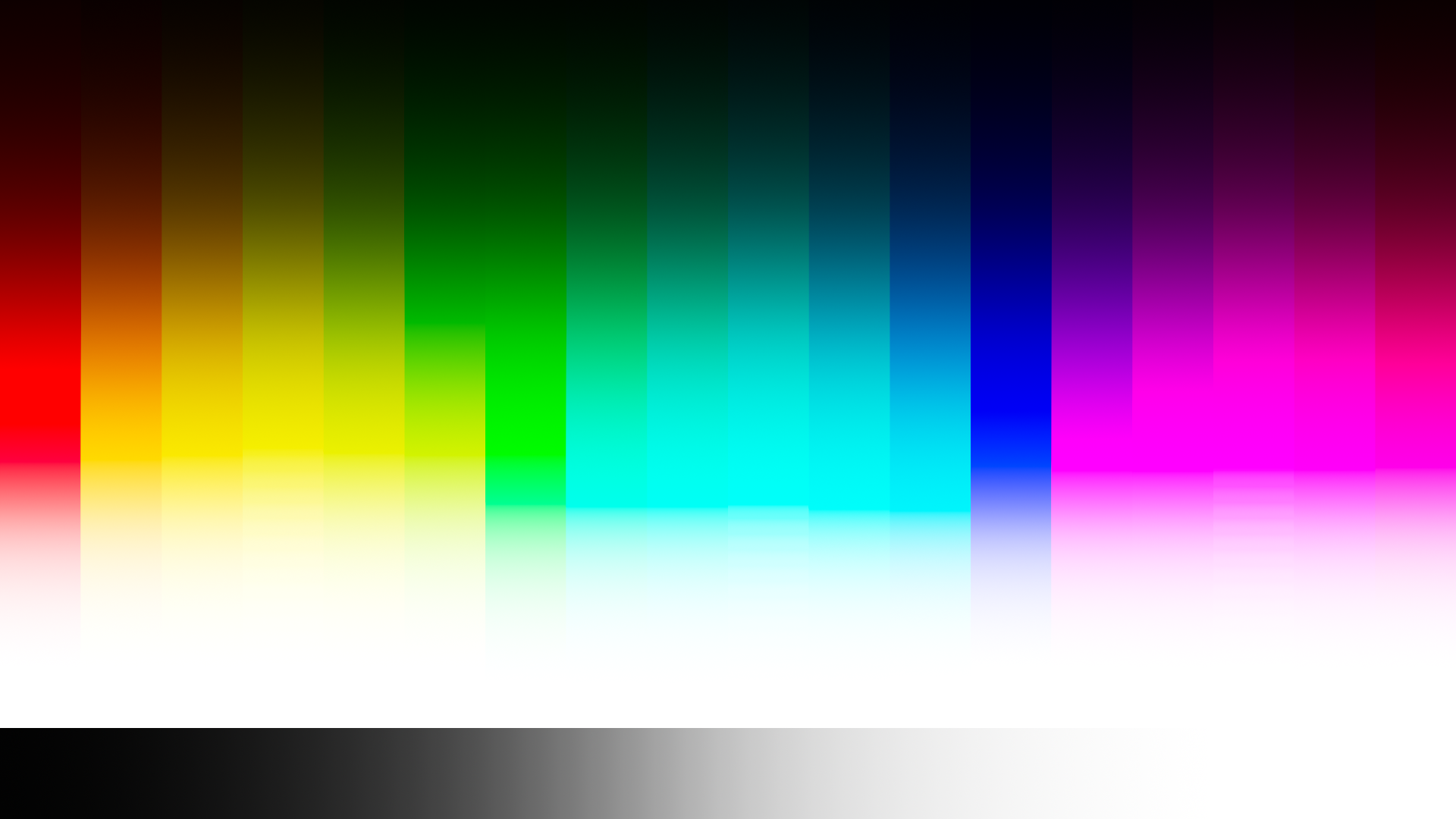
Here's an image without the gamut mapping:
And with:
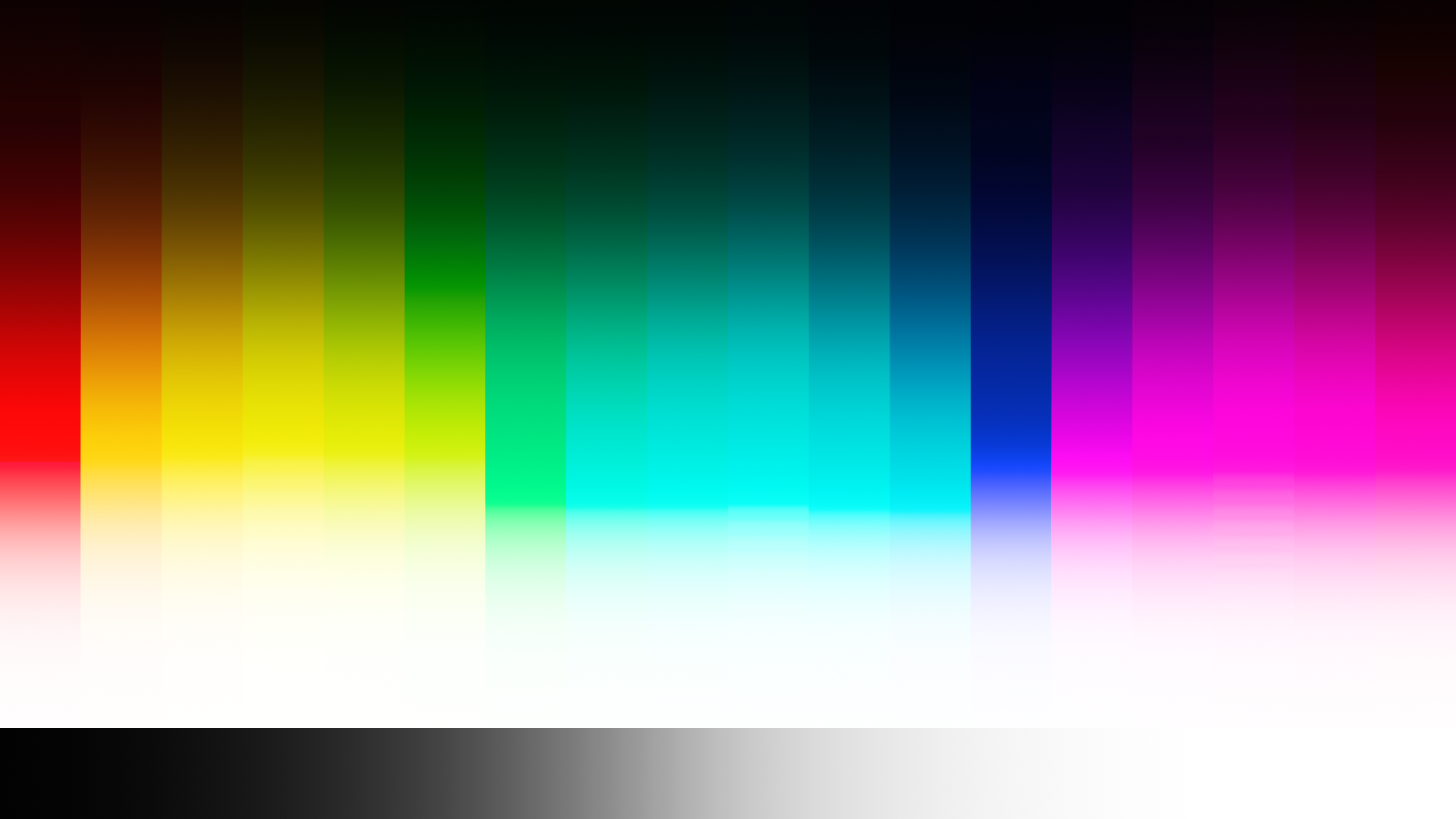
The code for the gamut mapping is quite simple. The technique is basically that the RGB colour gets converted to HSV. Then the saturation gets remapped and the hue gets fixed. Then it's converted back to RGB and lastly the luminance gets corrected (since changing the saturation also changes the luminance). The code in Python looks like this:
```python
def luminance(R, G, B):
return 0.2126 * R + 0.7152 * G + 0.0722 * B
def gamutMap(R, G, B):
Lo = luminance(R, G, B)
# Convert to HSV
hsv = toHSV(R, G, B)
H = hsv[0]
S = hsv[1]
V = hsv[2]
# saturation mapping
if S > 0.98:
S = (S - 0.98) / 0.02
S = S / (S + 1.0)
S = S * (0.02 / 0.91) + 0.98
S = min(S, 1.0)
# Fix the hue in order to make the reds and blues
# show in a more predictable manner.
if H >= 354.0 and (B < 0.00001 or G < 0.00001):
H = 0.0
if H >= 240.0 and R < 0.00001:
H = 240.0
# Convert back to RGB
rgb = toRGB(H, S, V)
R = rgb[0]
G = rgb[1]
B = rgb[2]
# Make sure that the luminance is still the same
L = luminance(R, G, B)
Lscale = Lo / L
R *= Lscale
G *= Lscale
B *= Lscale
# If one of the RGB values is still above 1.0,
# then scale all of the values so that the values
# do stay within 0.0 and 1.0.
maxC = max(max(R, G), B)
if maxC > 1.0:
R /= maxC
G /= maxC
B /= maxC
return [R, G, B]
```
The toHSV and toRGB conversions are just the standard HSV conversions. The RGB_TO_HSV and HSV_TO_RGB fixed functions currently in OpenColorIO have modifications made to them, which means that they will not work with this!
The luminance function is based on the sRGB/Rec.709 gamut, but it could be anything. It could be a parameter that the configuration author can define, but it could also be some other function. Maybe just a sum, or by getting the cube root first, then a sum, and then cubed. What matters is that it's at least roughly representative of the luminance.
The hue correction might seem strange at first, but it's definitely needed. Here's an image without it:
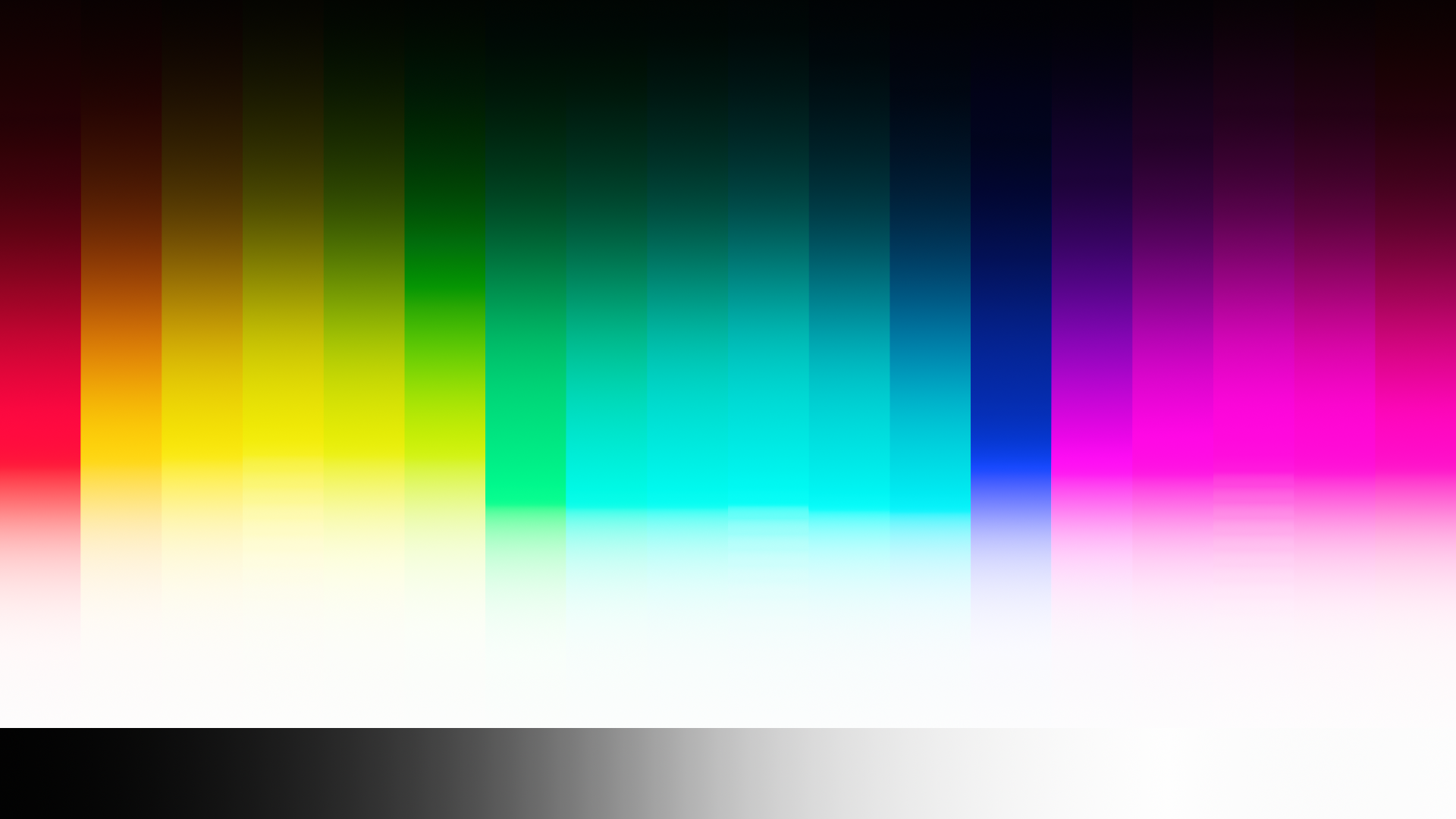
It's not the easiest to see, but take a look at the red gradient. It's slightly purple. Here's a chromaticity diagram showing what's happening:
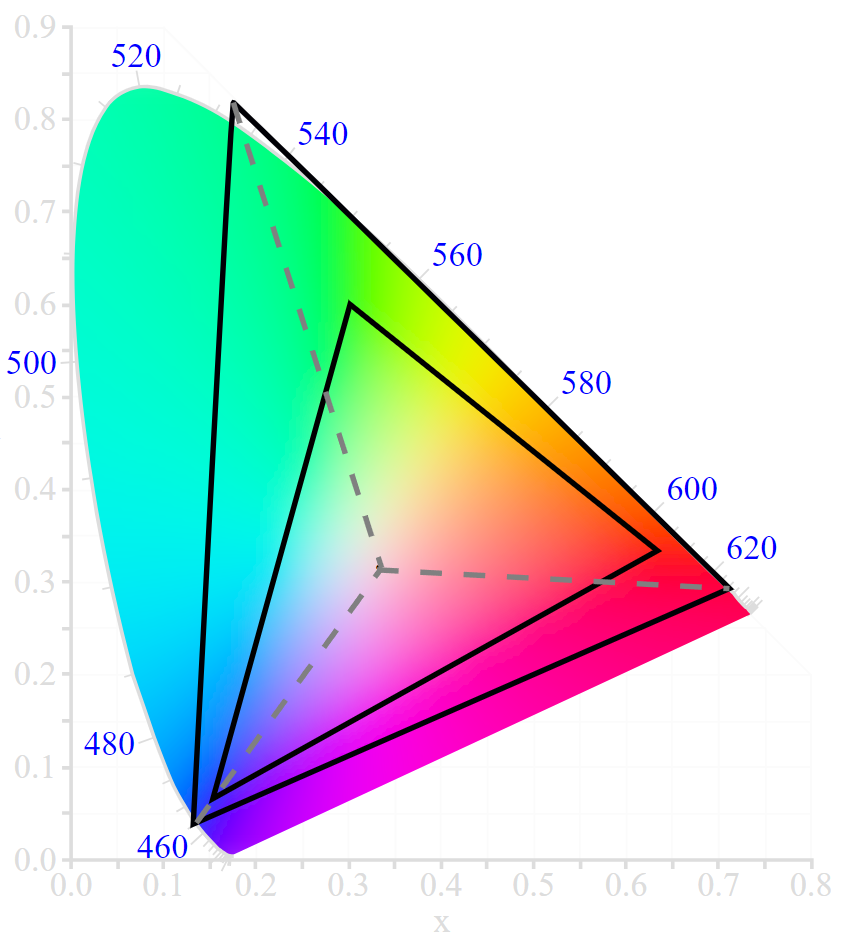
The image gets converted from the ACEScg gamut to the sRGB gamut, but when using a simple hue-preserving saturation mapping, then you get what the grey dotted lines show. You can see that the red primary will show up as purple, yet there isn't supposed to be any blue light. The hue correction attempts to fix this.
The algorithm above is specifically for display transforms, but here is a modified version that can be used as a general gamut mapping method:
```python
def luminance(R, G, B):
return 0.2126 * R + 0.7152 * G + 0.0722 * B
def gamutMap(R, G, B):
Lo = luminance(R, G, B)
# Convert to HSV
hsv = toHSV(R, G, B)
H = hsv[0]
S = hsv[1]
V = hsv[2]
# saturation mapping
if S > 0.98:
S = (S - 0.98) / 0.02
S = S / (S + 1.0)
S = S * (0.02 / 0.91) + 0.98
S = min(S, 1.0)
# Fix the hue in order to make the reds and blues
# show in a more predictable manner.
if H >= 240.0 and B < 0.00001:
H = 0.0
if H >= 240.0 and R < 0.00001:
H = 240.0
# Convert back to RGB
rgb = toRGB(H, S, V)
R = rgb[0]
G = rgb[1]
B = rgb[2]
# Make sure that the luminance is still the same
L = luminance(R, G, B)
Lscale = Lo / L
R *= Lscale
G *= Lscale
B *= Lscale
return [R, G, B]
```
It uses a slightly different hue correction and it doesn't clamp the value to a maximum of 1.0. So, this version supports any RGB values and, assuming that the HSV conversion algorithms support negative values, it also supports negative values. Again, the luminance function could be whatever.
Contributor guide
Assessment
This issue has not been assessed yet.